Create a Lovable-ready prompt from an initiative, review it in Zentrik, and save the resulting prototype link with the source decision.
Zentrik creates a Lovable handoff prompt from the problem, constraints, and context on your initiative. Review and edit the prompt in Zentrik, then open it in lovable.dev or your team’s Lovable workspace.
When you have something to share, save the prototype URL back to Zentrik so the exploration stays with the initiative’s documents and other assets.
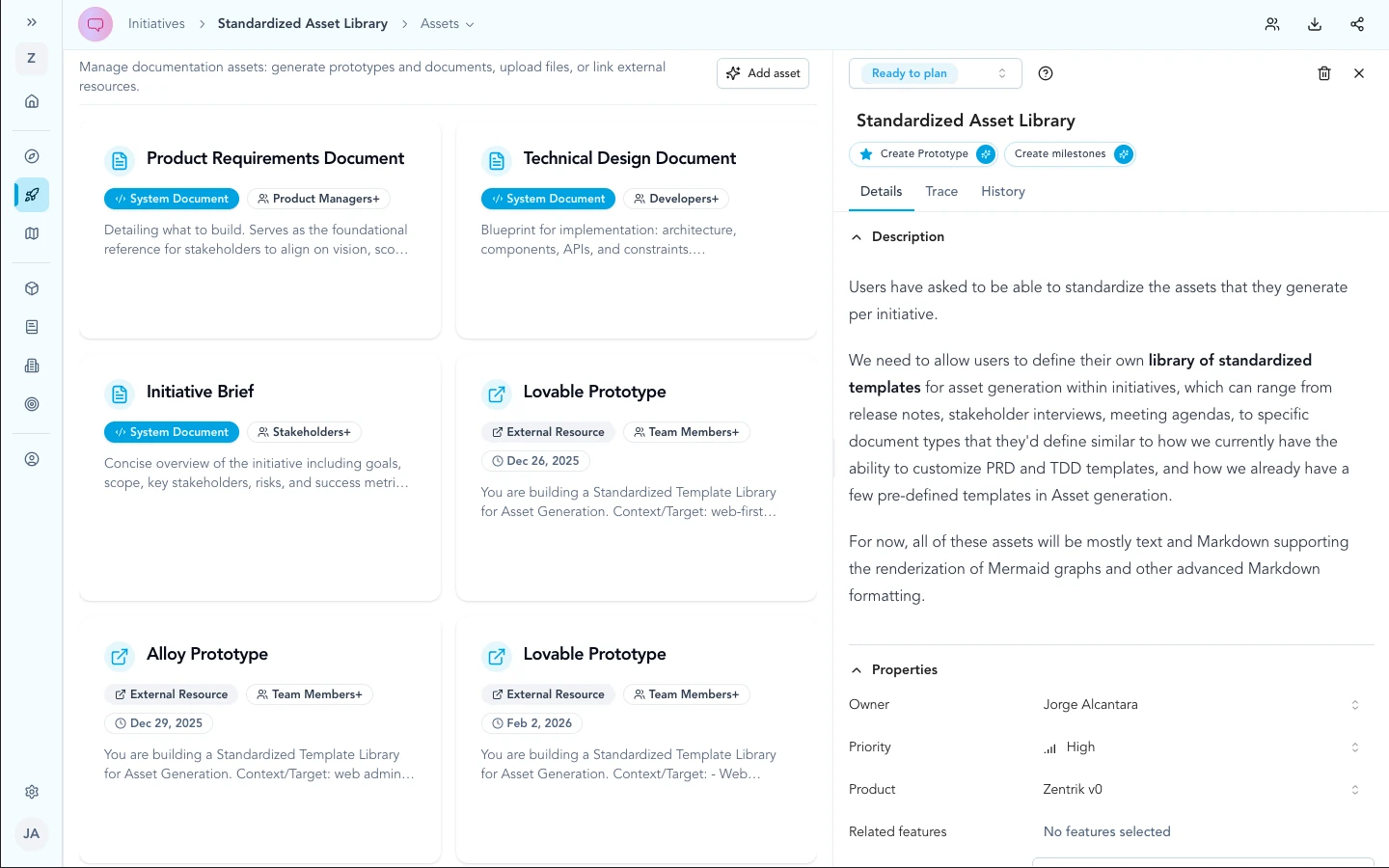
On the initiative Assets library, use Create prototype to open the Generate prototype flow—handoffs and saved external links stay next to PRDs and other assets.
How to run it
- Open the initiative and go to the Assets library.
- Click Create prototype to open Generate prototype.
- Choose Lovable in the tool catalog and wait while Zentrik generates the handoff prompt from initiative context.
- Review and edit the instructions in the modal, then use the primary action to open Lovable in a new tab.
- After you publish externally, complete Save external prototype so the Prototype URL appears as a card in the asset library next to your other documents.
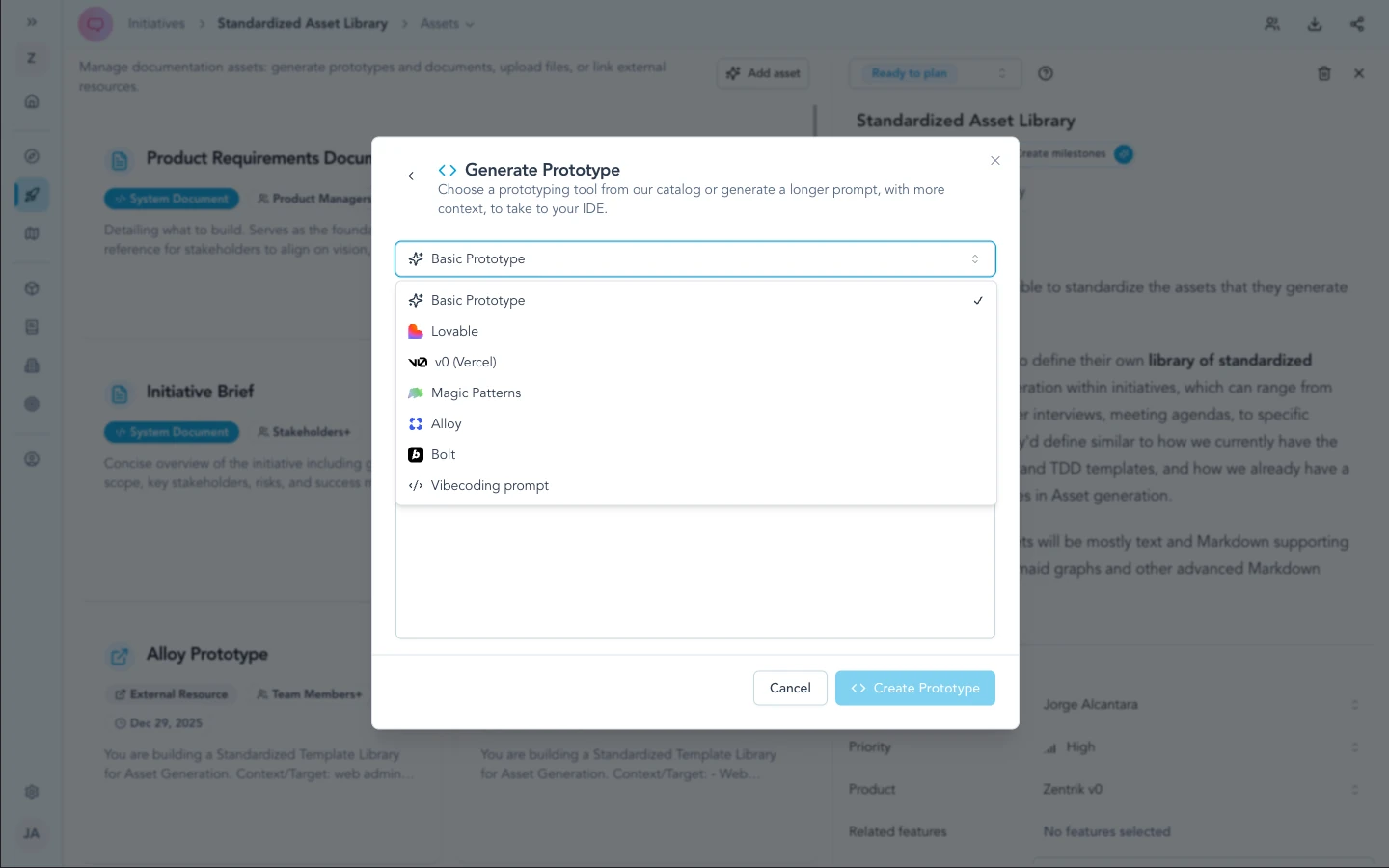
Choose Lovable in the catalog (alongside Vercel's v0, Magic Patterns, Alloy, Bolt, and related entries). The same modal is used for every handoff tool.
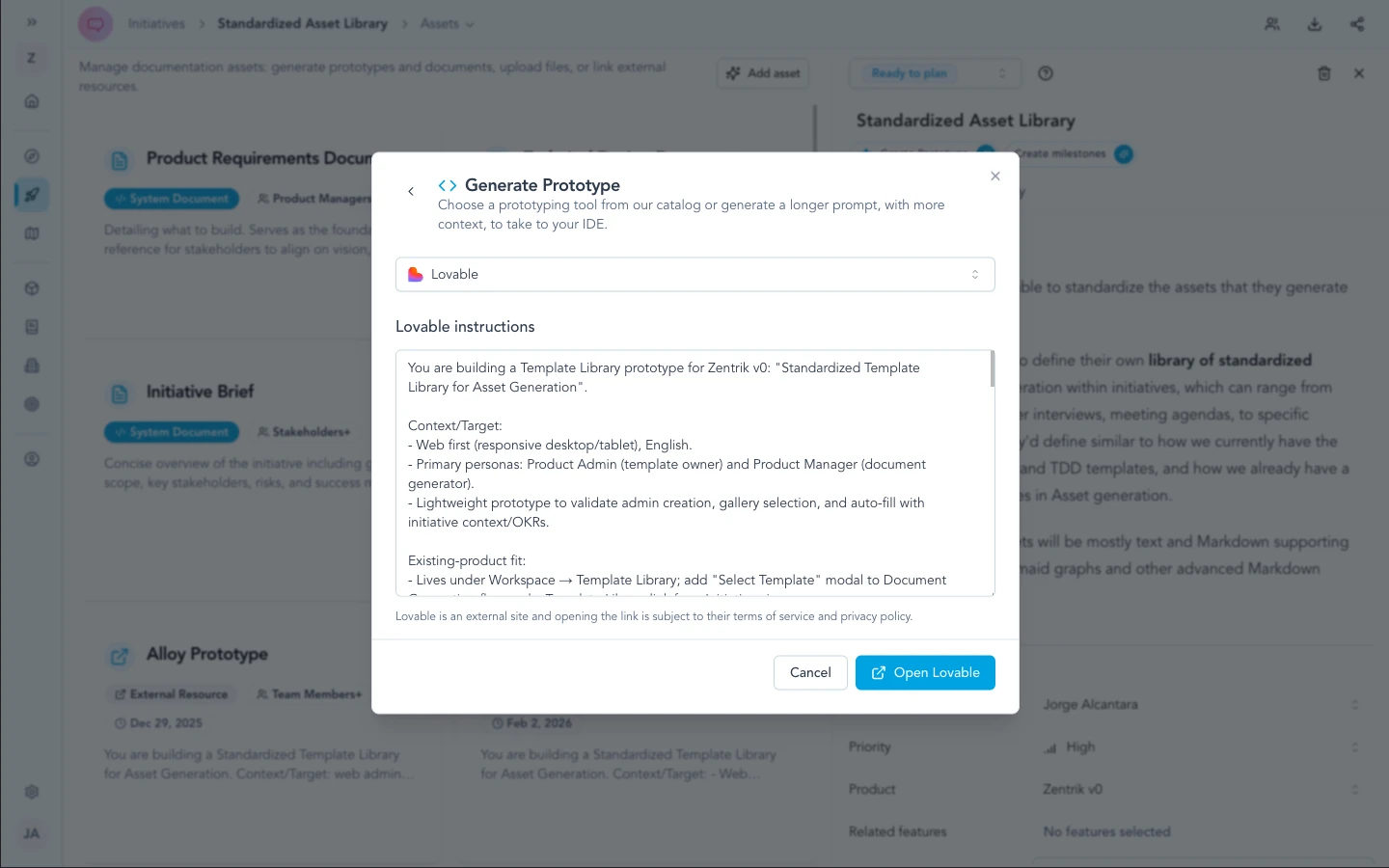
Zentrik shows in-modal progress while it drafts the prompt from initiative context—when it finishes, review the text and use the action to open Lovable.
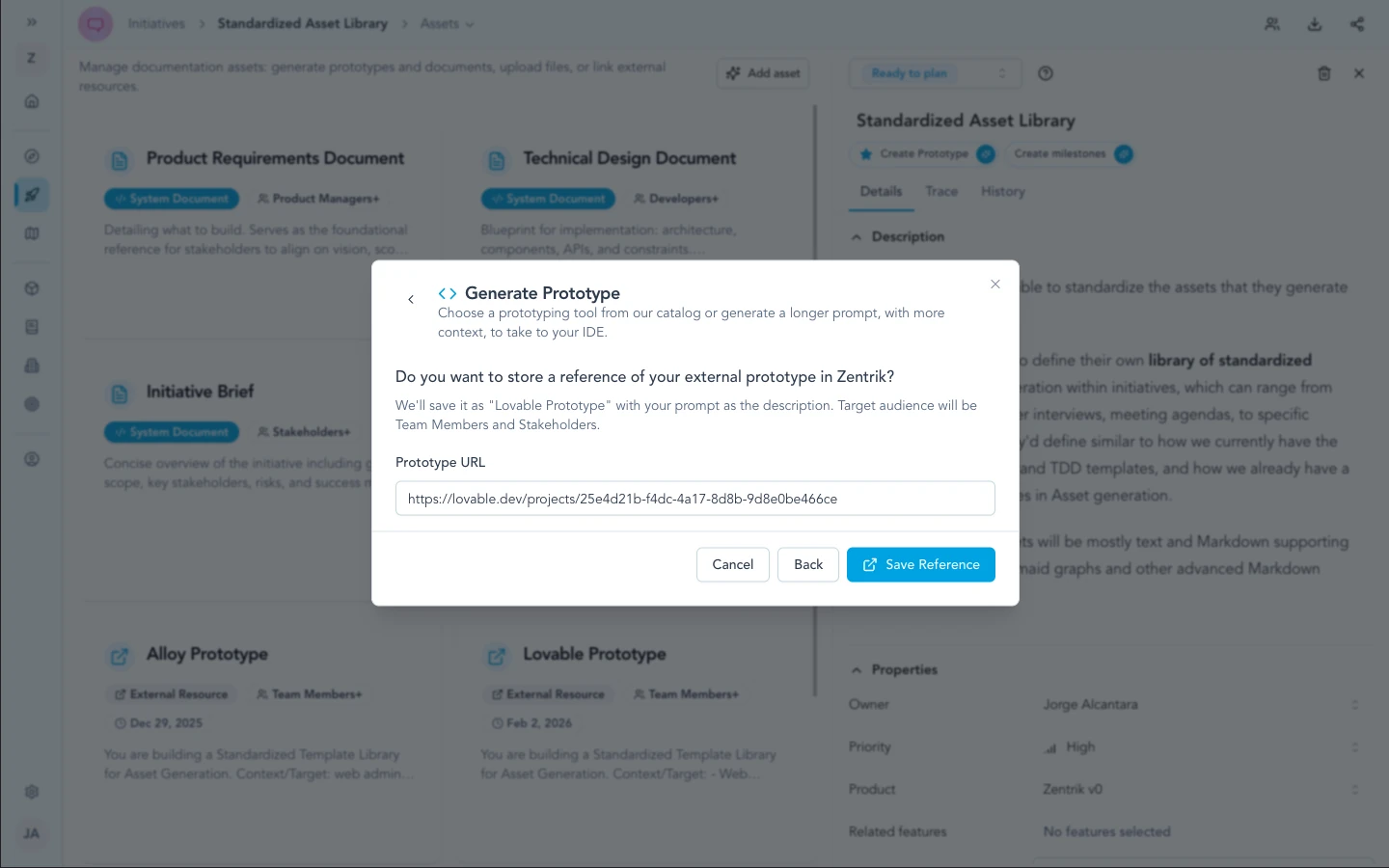
After publishing in Lovable, paste the Prototype URL (and optional notes) so the initiative stores an external prototype card in the asset library.
Security & admin
This path is a handoff, not a stored OAuth or API connection to Lovable inside Zentrik. There is nothing to rotate in Settings for Lovable itself—your security and compliance reviews should focus on what text you approve and paste into external tools, and on your organization’s browser and AI policies.
Zentrik does not automatically sync full initiative attachments into Lovable; only what you explicitly send leaves your review step.
Troubleshooting
These steps cover Zentrik (prompts, pop-ups, generation). If the problem is inside Lovable, Bolt, or another external tool, use their support first.
New tab did not open
Allow pop-ups for your Zentrik site, then run the handoff again.
Prompt needs better detail
Enrich the initiative (problem, constraints, flows), then regenerate the prompt in Zentrik before opening Lovable.
Something wrong inside Lovable
Lovable runs outside Zentrik. For login, billing, or product issues there, use Lovable’s support. Contact us only if exporting the prompt from Zentrik fails.
Continue from here
Related guides
Did this guide answer your question?
Your response helps us prioritize missing or unclear documentation.
Still stuck?
Send your question to Zentrik support. This guide will be included automatically.