Create a Magic Patterns prompt from initiative context, explore interface directions, and save the resulting links with the source decision.
Use Magic Patterns for visual and interaction experiments grounded in the initiative record.
Run it from Assets → Create prototype → Generate prototype, pick Magic Patterns, then save preview or share URLs back so design work stays discoverable on the initiative.
How to run it
- On the initiative, open Assets → Create prototype → Generate prototype.
- Pick Magic Patterns in the catalog and let Zentrik generate the handoff prompt.
- Open Magic Patterns from the modal when you are ready, then iterate there.
- Use Save external prototype so the initiative keeps a linked card in the asset library.
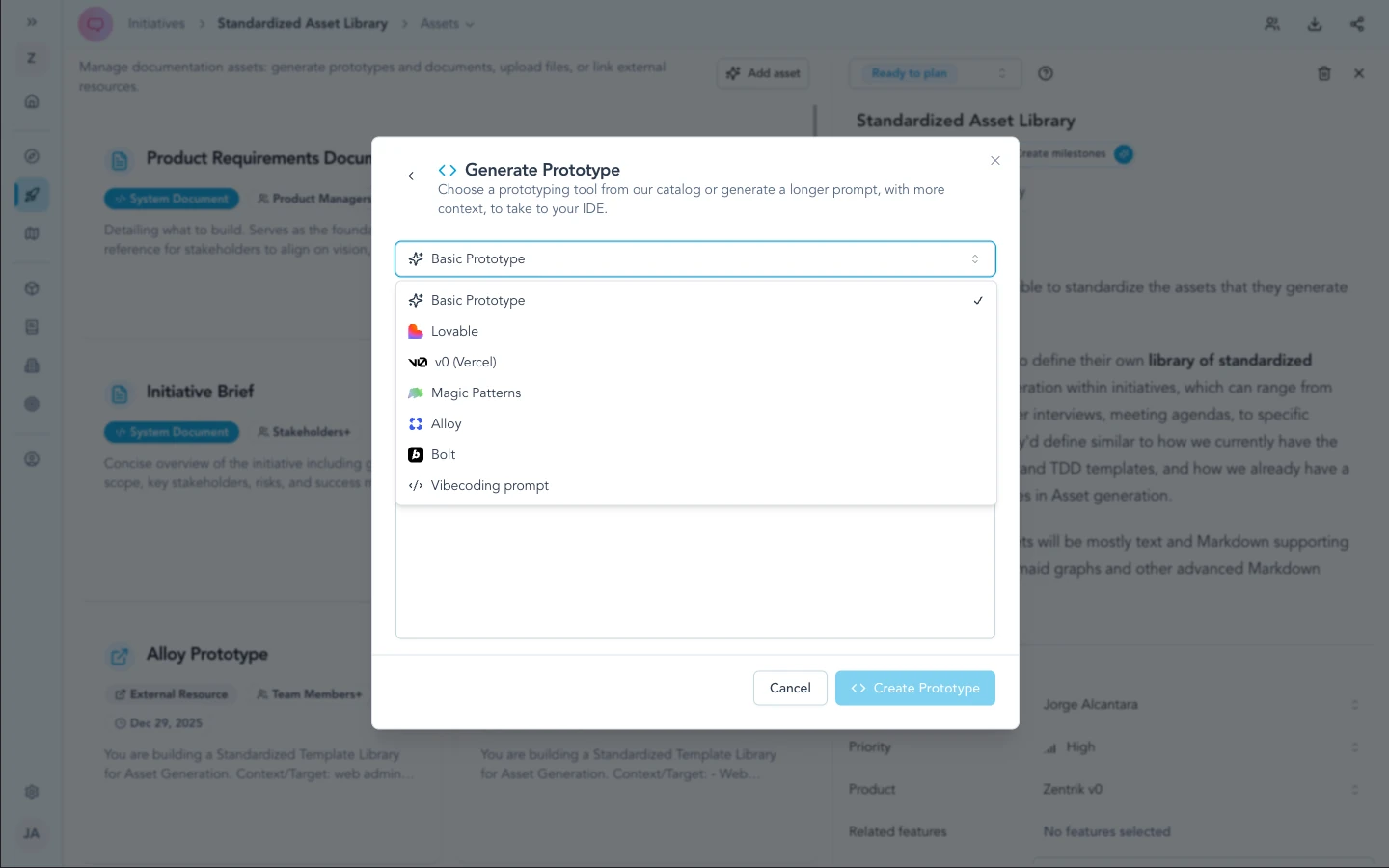
Use Create prototype from the initiative asset library, then select Magic Patterns in the same catalog used for every handoff.
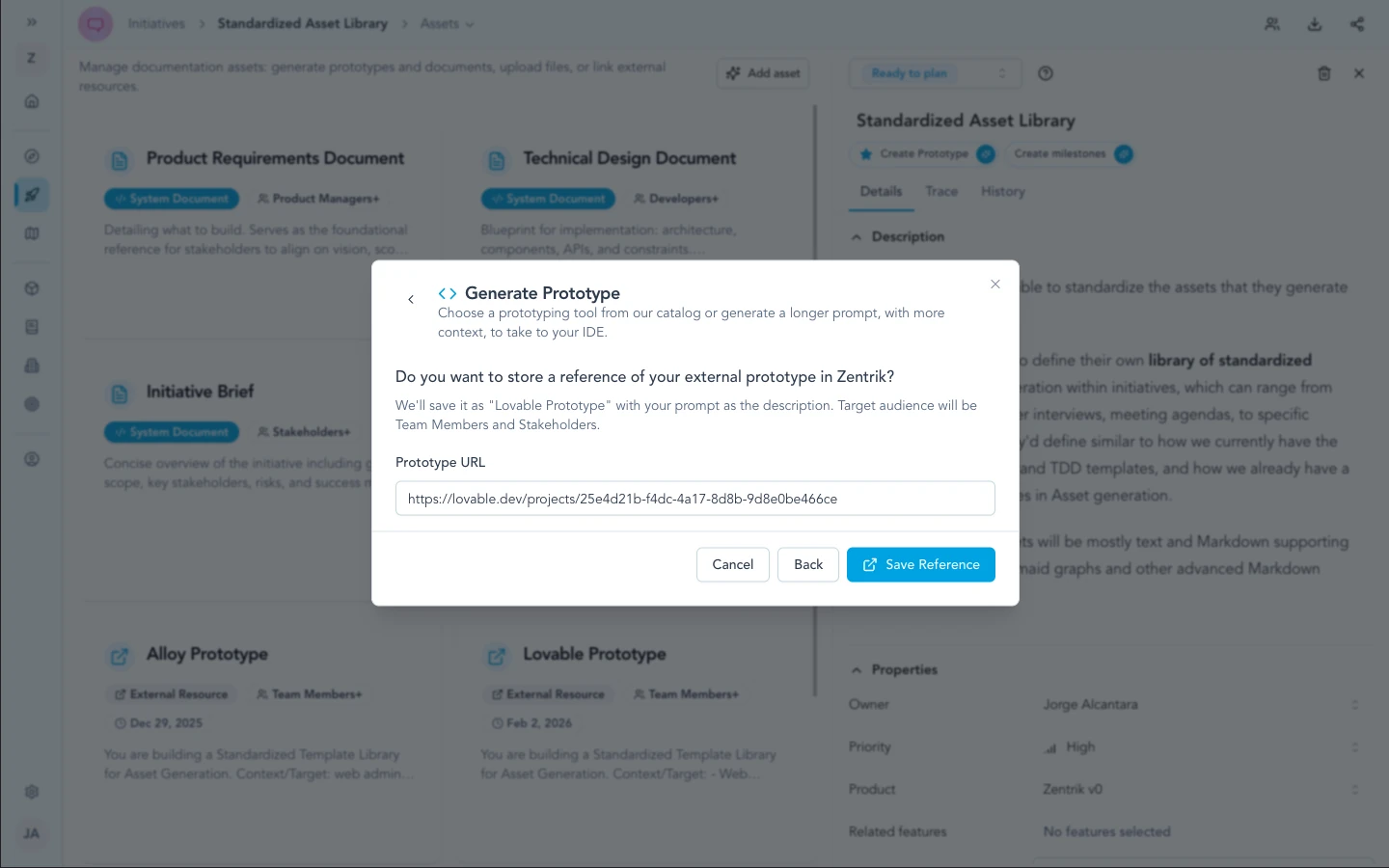
After you iterate in Magic Patterns, save the preview or share URL so Zentrik keeps an external prototype card with your initiative assets.
Security & admin
No Magic Patterns credential is stored in Zentrik. Only the prompt you approve and anything you paste externally cross the boundary—align with your design and AI governance like any other SaaS workflow.
Troubleshooting
These steps cover Zentrik (prompts, pop-ups, generation). If the problem is inside Lovable, Bolt, or another external tool, use their support first.
Instructions feel generic
Add initiative detail (metrics, constraints, brand notes), then regenerate the prompt in Zentrik.
Issues inside Magic Patterns
Magic Patterns runs outside Zentrik. Use their help center or support for product issues. Contact us if exporting the prompt from Zentrik fails.
Continue from here
Related guides
Did this guide answer your question?
Your response helps us prioritize missing or unclear documentation.
Still stuck?
Send your question to Zentrik support. This guide will be included automatically.